
Published February 26, 2026
Phone Photo Scanning Quality vs. Scanner: Which Is Best for Your Memories?
In shoeboxes under the bed, in dusty albums on the top shelf, in forgotten envelopes at the back of a drawer—we all have them. Precious printed photographs, fading gateways to our most cherished memories. The desire to bring these moments into the digital age is universal, but the path to get there can seem confusing. For years, the only real option was a bulky, slow flatbed scanner. Today, the supercomputer in your pocket offers a compelling alternative.
So, which is better for digitizing your family history: a traditional scanner or your smartphone? The answer isn’t a simple one-size-fits-all. It’s a classic battle of precision versus convenience, of technical perfection versus practical efficiency. Let’s break down the strengths and weaknesses of each method to help you decide which is the right choice for preserving your unique collection of memories.
The Old Guard: The Case for the Traditional Flatbed Scanner
For the purist, the archivist, or the professional, the flatbed scanner has long been the gold standard of digitization, and for good reason. It’s a tool built for one job: creating a high-fidelity digital copy of a physical document. Its advantages are rooted in control and raw technical power.
The biggest selling point for a flatbed scanner is its unparalleled image quality. This is measured in Dots Per Inch (DPI). Think of DPI as the number of individual pixels the scanner captures for every inch of the photograph. A standard scanner might offer options from 300 DPI (good for general use) all the way up to 1200 DPI or even higher. This high resolution captures an incredible amount of detail, making it ideal for a few specific scenarios:
- Large-Format Printing: If you dream of turning a small, vintage photo of your grandparents into a large, framed canvas for your wall, the high DPI from a scanner is essential to avoid a blurry, pixelated result.
- Professional Archiving: Museums, libraries, and serious family historians often require the highest possible quality for archival purposes. Scanners can also save images in lossless file formats like TIFF, which preserve every single bit of data, unlike JPEGs which compress the file slightly.
- Scanning Negatives and Slides: Many dedicated photo scanners come with special adapters for scanning film negatives and slides, which often contain far more detail and color information than their corresponding prints.
However, this power comes with significant trade-offs. The process is notoriously slow and methodical. You place a photo, close the lid, run a preview scan, adjust settings, perform the final scan, save the file, name it, and then repeat for the next photo. Digitizing a single album of 100 photos can easily become a multi-day project. Furthermore, scanners themselves can be costly, take up valuable desk space, and often come with complex software that has a steep learning curve.
The New Contender: The Power of Smartphone Scanning
In the other corner, we have the modern solution: your smartphone. The cameras in today's phones are astonishingly powerful, rivaling dedicated point-and-shoot cameras from just a few years ago. When paired with a smart scanning application, your phone transforms into a fast, effective, and incredibly convenient digitization tool.
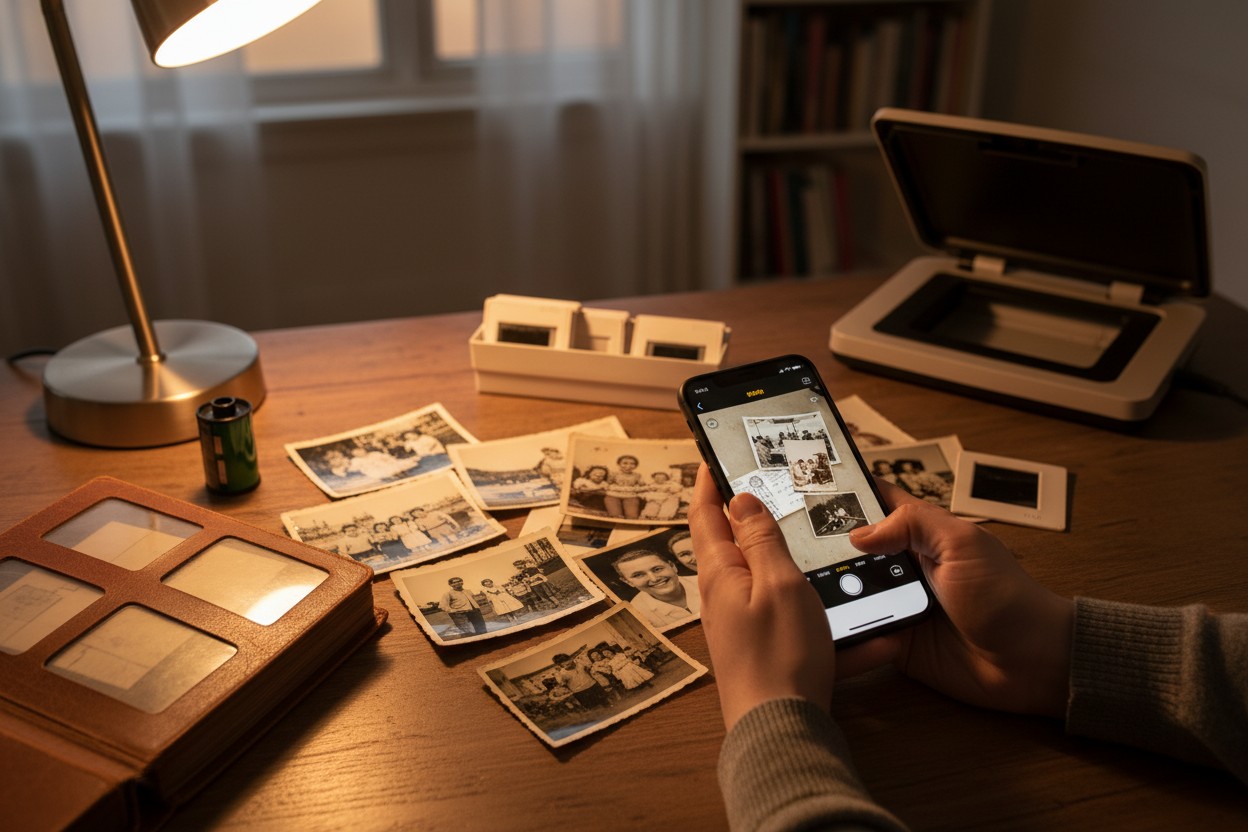
The primary advantage of phone scanning is speed. What takes a flatbed scanner an hour can often be accomplished with a phone in minutes. This is where dedicated apps truly shine. For instance, an app like Photomyne is designed specifically for this task. It uses your phone's camera but adds a layer of intelligence, allowing you to scan multiple photos laid out on a table in a single shot. The app then automatically detects each individual picture, crops it perfectly, corrects any perspective distortion, and saves it as a separate digital file. This batch-processing capability is a massive time-saver compared to positioning one photo at a time on a scanner bed.
Beyond speed, phone scanning apps offer a suite of "smart" features that streamline the entire process:
- Automatic Enhancements: Many apps can automatically restore faded colors, reduce glare, and sharpen details, breathing new life into old photos with a single tap.
- Instant Organization and Sharing: Scans are saved directly to your phone. From there, you can create albums, add details like dates, locations, and names, and share them instantly with family via text, email, or social media. The entire workflow, from scan to share, happens on one device.
- Accessibility and Cost: You already own the most important piece of hardware. The cost is limited to a low-cost app subscription or purchase, making it a far more accessible entry point for most people.
Of course, there are considerations. The final quality is dependent on your phone's camera, the lighting conditions (always use bright, indirect light to avoid glare), and a steady hand. While the resolution is more than sufficient for viewing on screens and making standard 4x6 or 5x7 prints, it may not be enough for that poster-sized enlargement.
Head-to-Head: Which Is Right for You?
Let’s put them side-by-side to make the choice clearer.
If your priority is the absolute highest technical quality for professional archiving or very large prints, a flatbed scanner is the winner. The control over DPI, file formats, and the ability to scan negatives gives it a technical edge that a phone cannot match.
If your priority is speed, convenience, and efficiently digitizing a large collection of photos to share and enjoy, a phone scanning app is the undisputed champion. For the vast majority of people who have boxes of photos and just want to get them safely digitized, the "good enough" quality of a phone scan is, in fact, more than good enough—it's excellent.
Ultimately, the best tool is the one you will actually use. A high-end scanner collecting dust in a closet preserves zero memories. The convenience of a phone app means you’re far more likely to complete that daunting project of digitizing your family's history. For most of us, the goal isn't to create a museum-grade archive; it's to unlock the stories trapped in those old prints and share them with the people we love. And in that mission, the speed and simplicity of scanning with your phone is a game-changer.